Product Overview
RideCube is an end-to-end platform for running a van and transporter carsharing fleet — you set up pricing, vehicles and locations; customers book through a mobile app; and your team operates, supports and bills everything from the back office, all on one connected system. It is multi-tenant: one platform can run several brands or operators side by side.
What RideCube is
RideCube is an end-to-end platform for running a (van and transporter) carsharing fleet. You set up your pricing, vehicles and locations; customers browse and book through a mobile app; and your team operates, supports and bills everything from the back office — all on one connected system.
It is multi-tenant: a single platform can run several brands or operators side by side, each with its own customers, pricing and billing.
How it fits together
Three touchpoints, one shared backend:
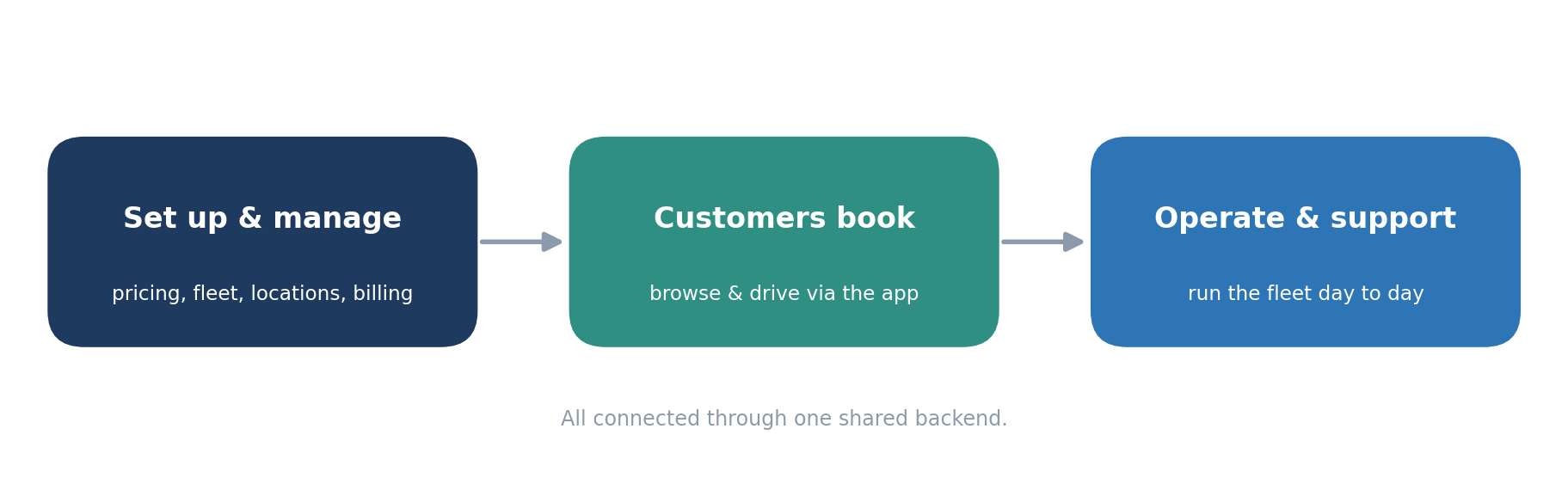
Set up & manage happens in the Odoo-based back office. Customers book & drive through the mobile app. Operate & support happens in the Service App. Data flows between them automatically, so what you configure is immediately reflected where customers and staff need it.
How customers experience it (the app)
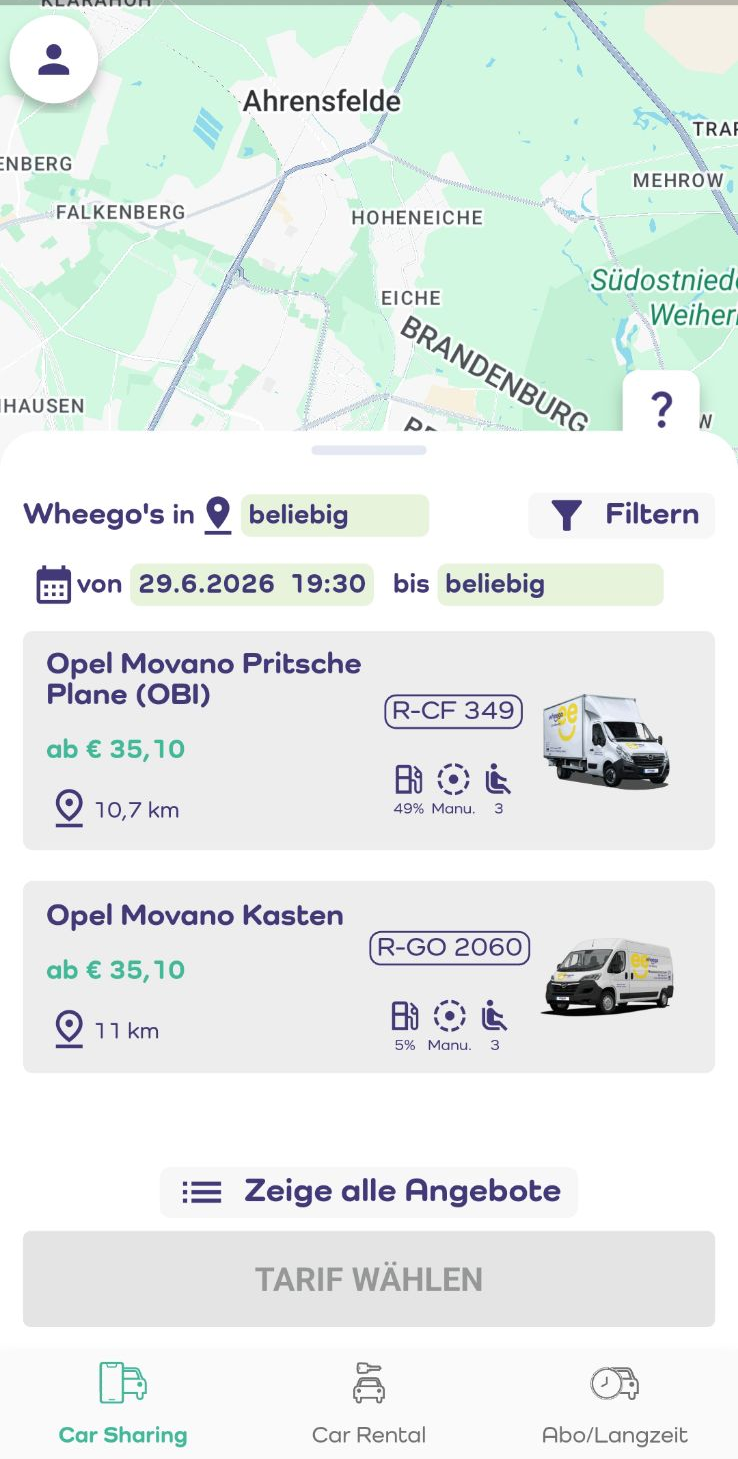
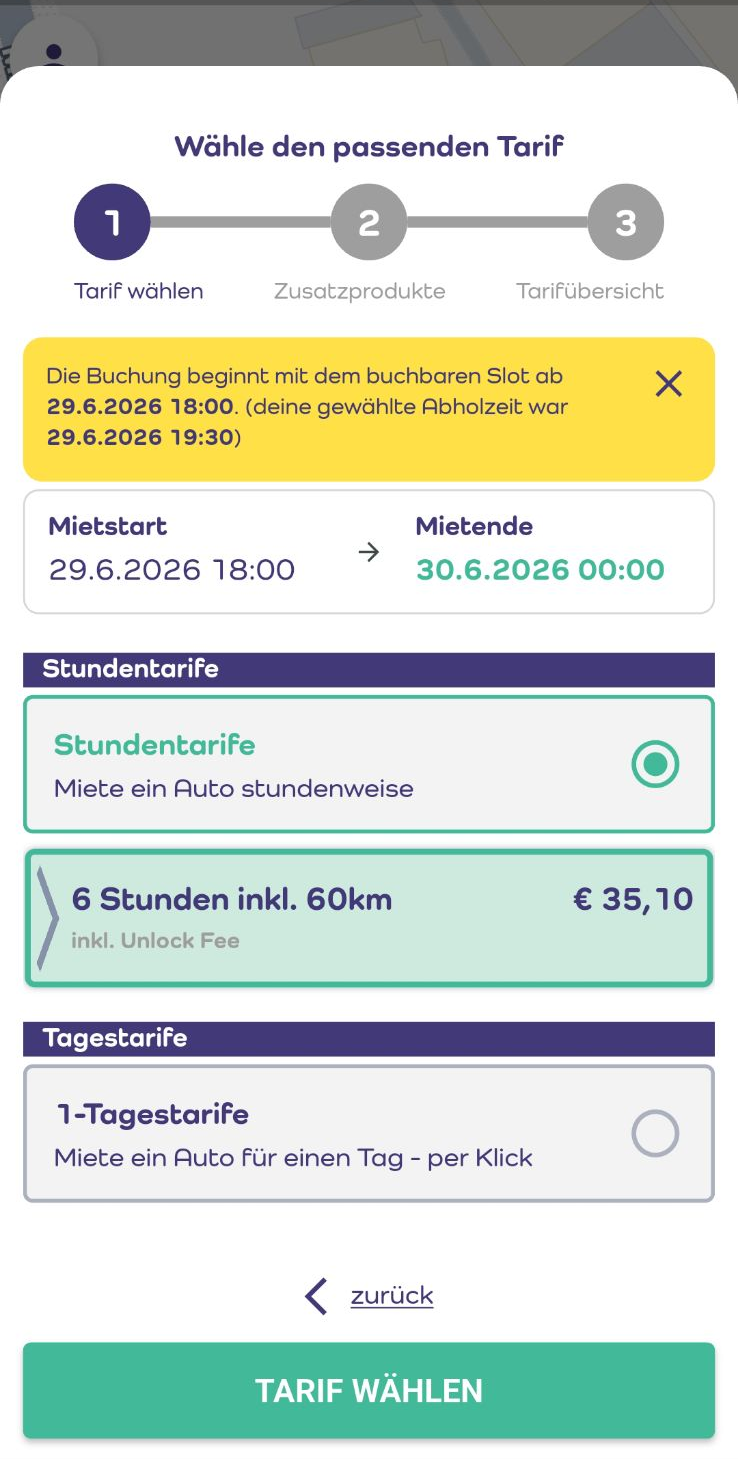
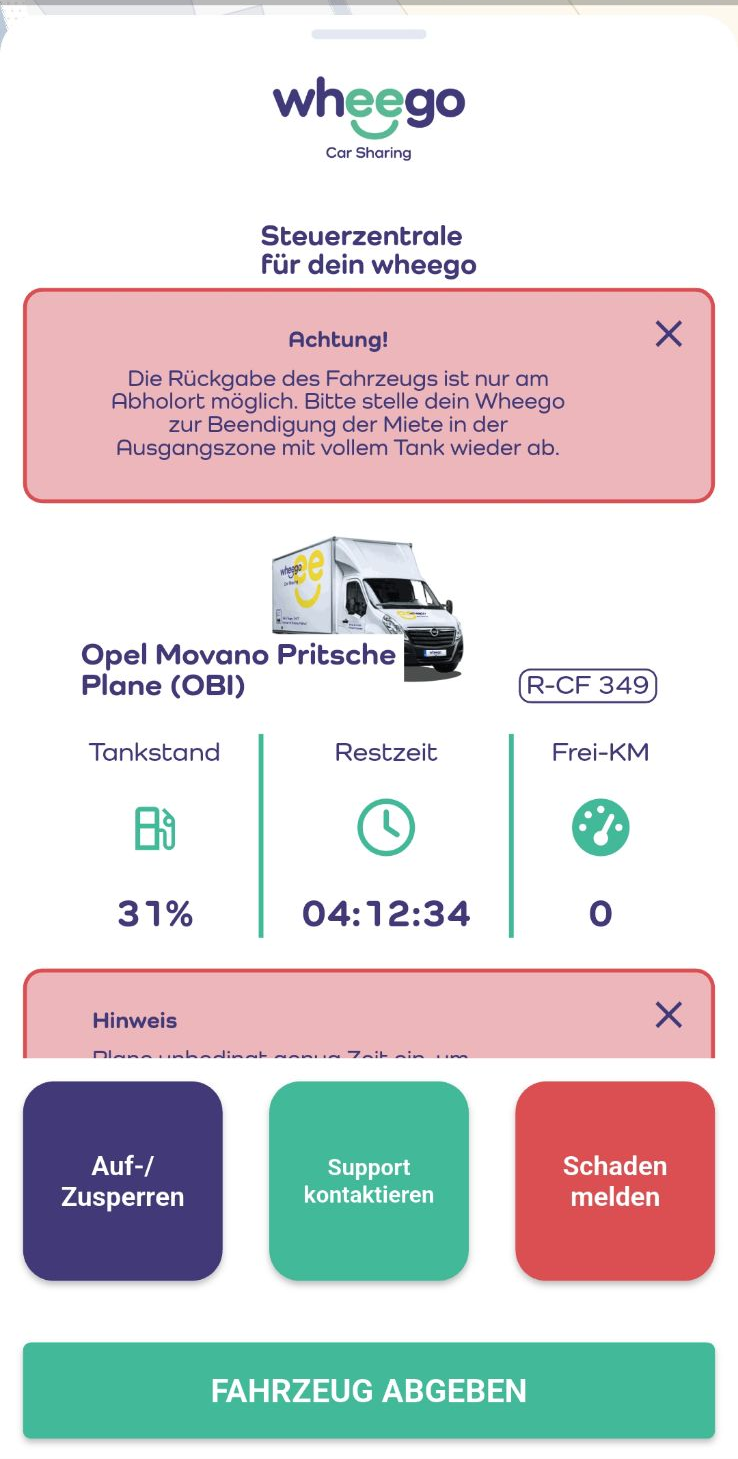
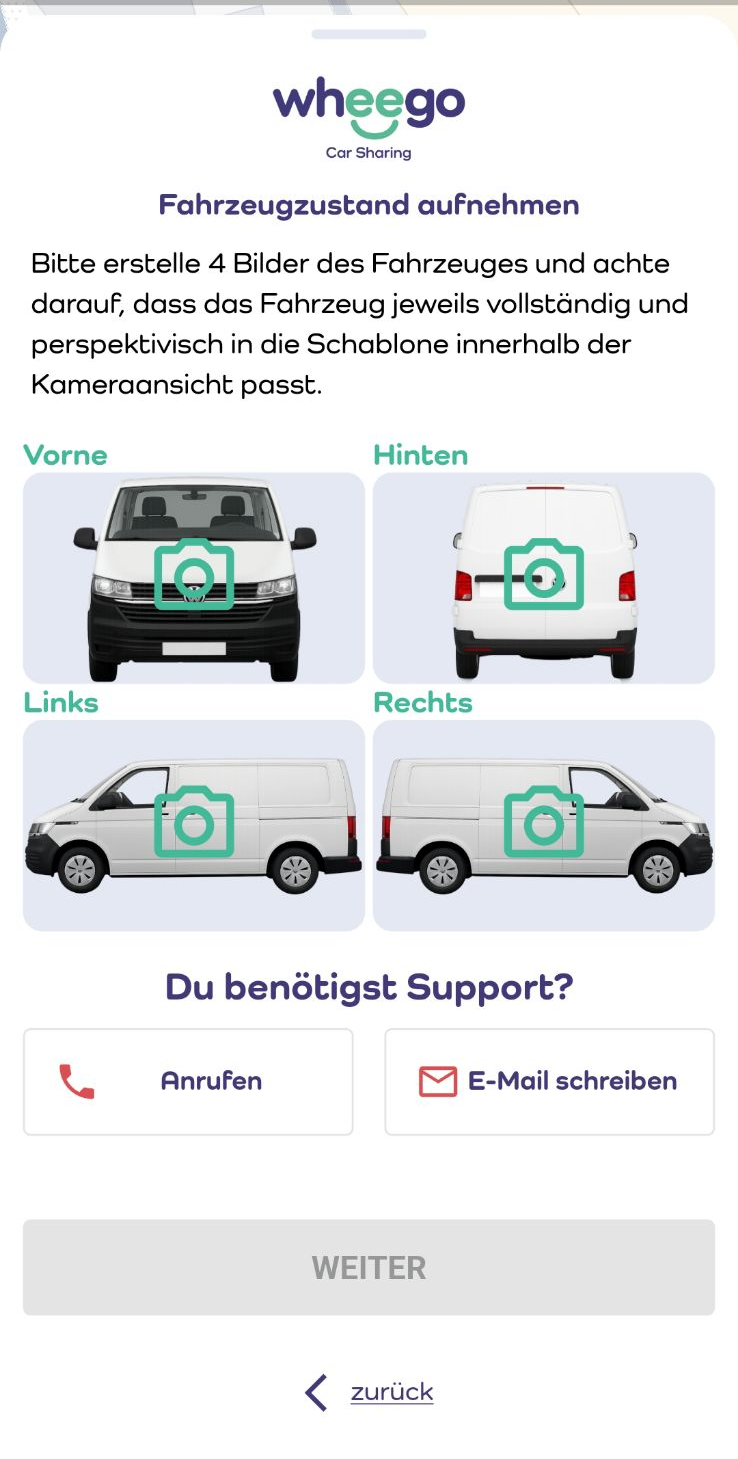
Customers do everything from the wheego mobile app — finding and booking a vehicle, unlocking and driving it, capturing its condition, and getting support.
 |
 |
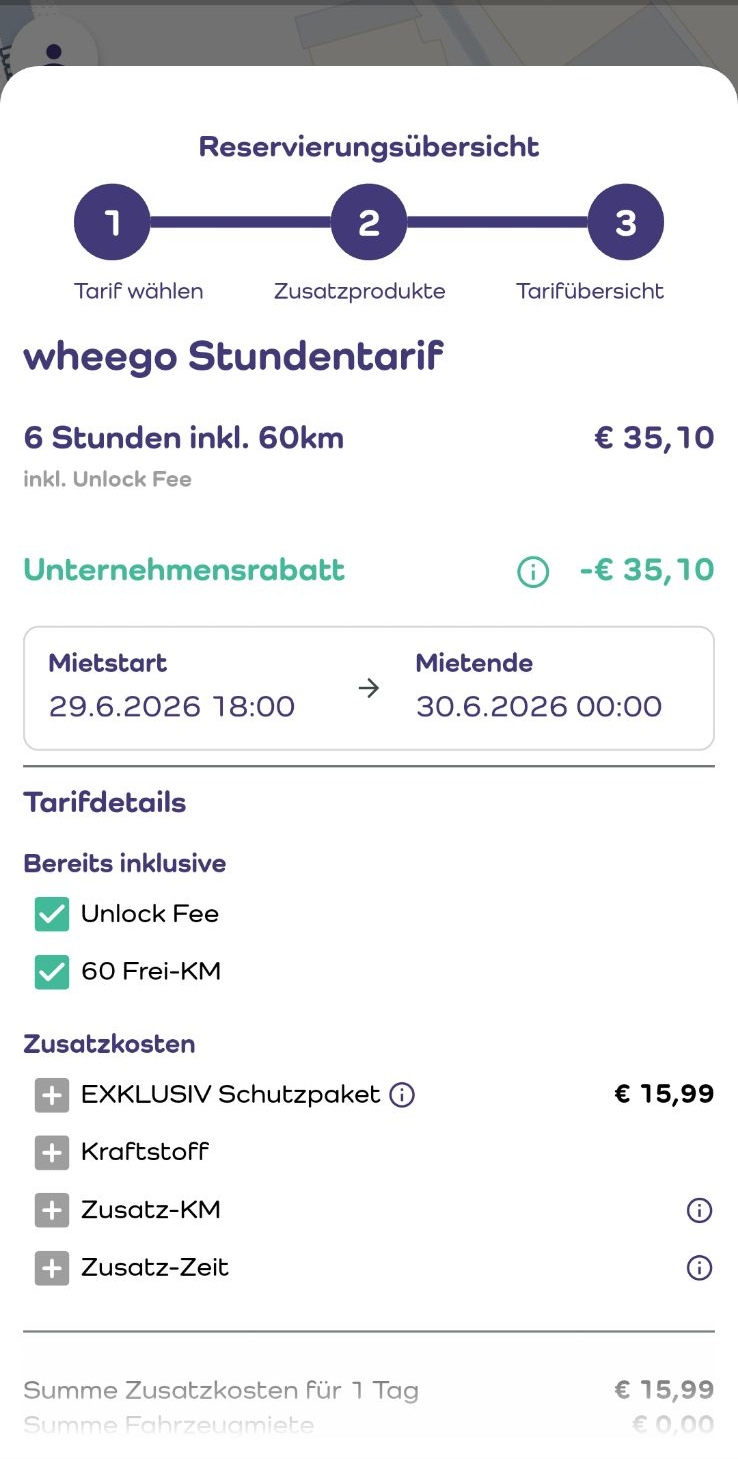 |
Find a vehicle, choose a tariff, and confirm the booking.
 |
 |
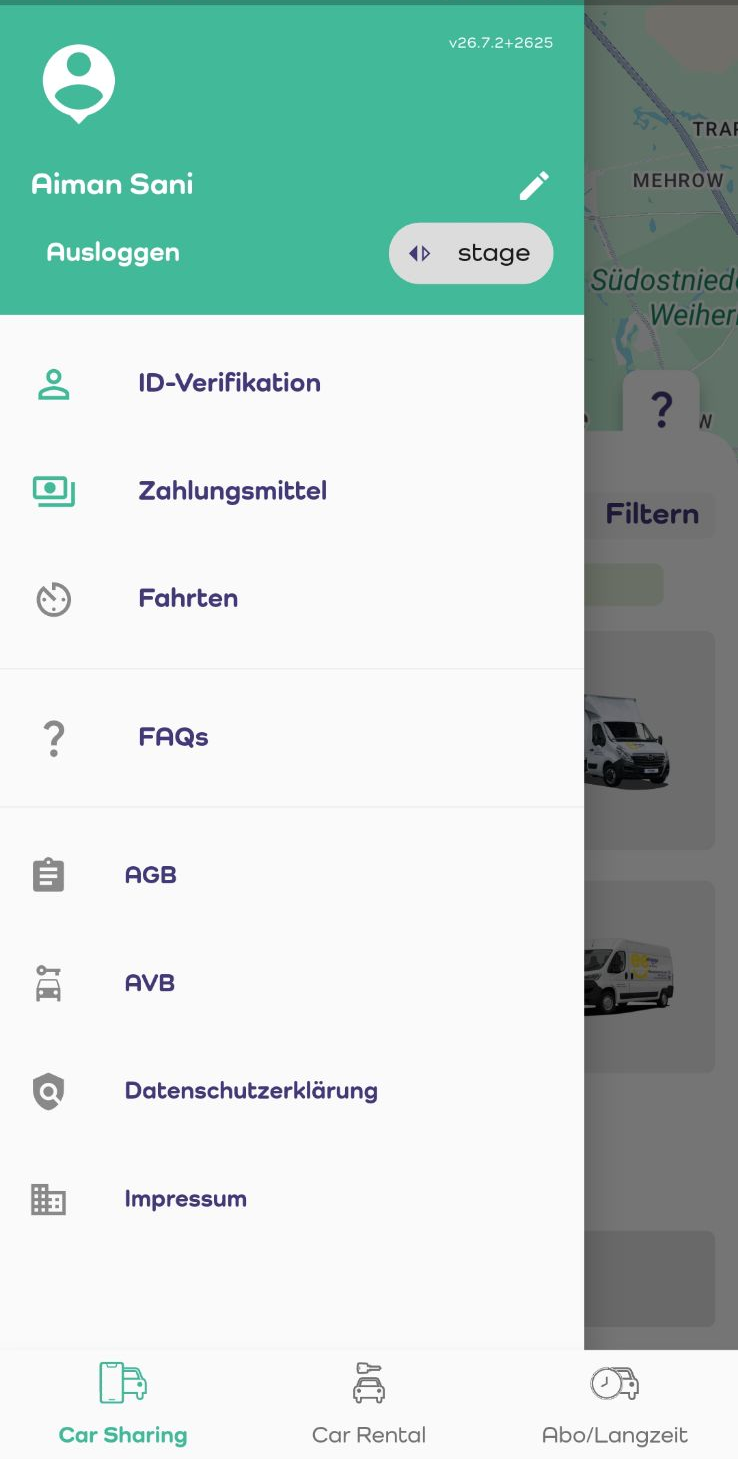 |
Control the vehicle during the rental, capture its condition, and manage the account.
What’s included
The platform covers the full operational lifecycle. The main areas:
Fleet management and live control
See every vehicle’s live status — location, battery/fuel, lock and immobilizer state — and act remotely: lock or unlock doors, enable or disable the engine, and flag a vehicle for cleaning, repair or maintenance.
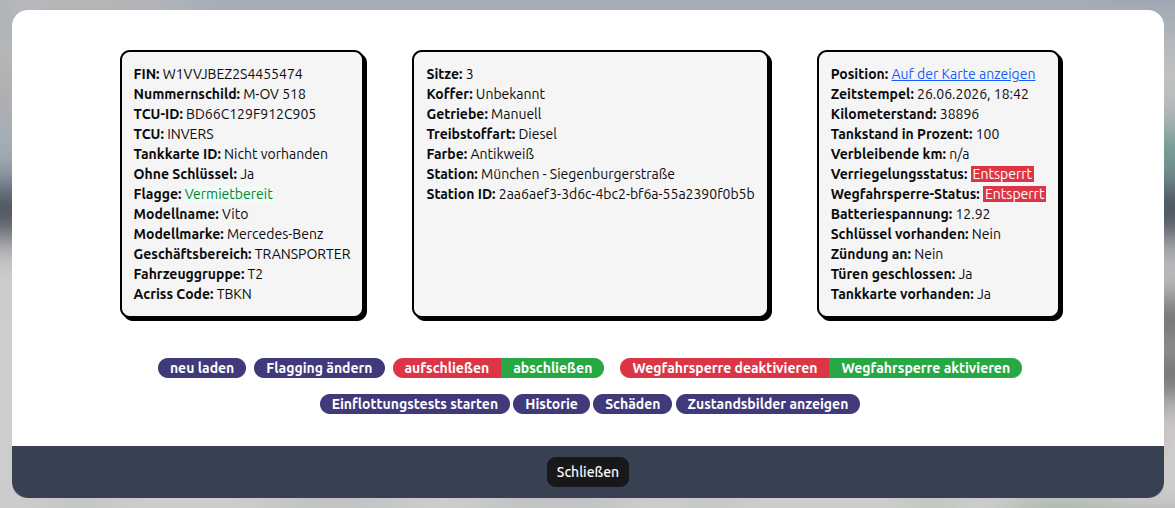
Live vehicle status with one-click remote control.
In the back office, the full vehicle master data is maintained — models, ACRISS categories, groups, status and flags.
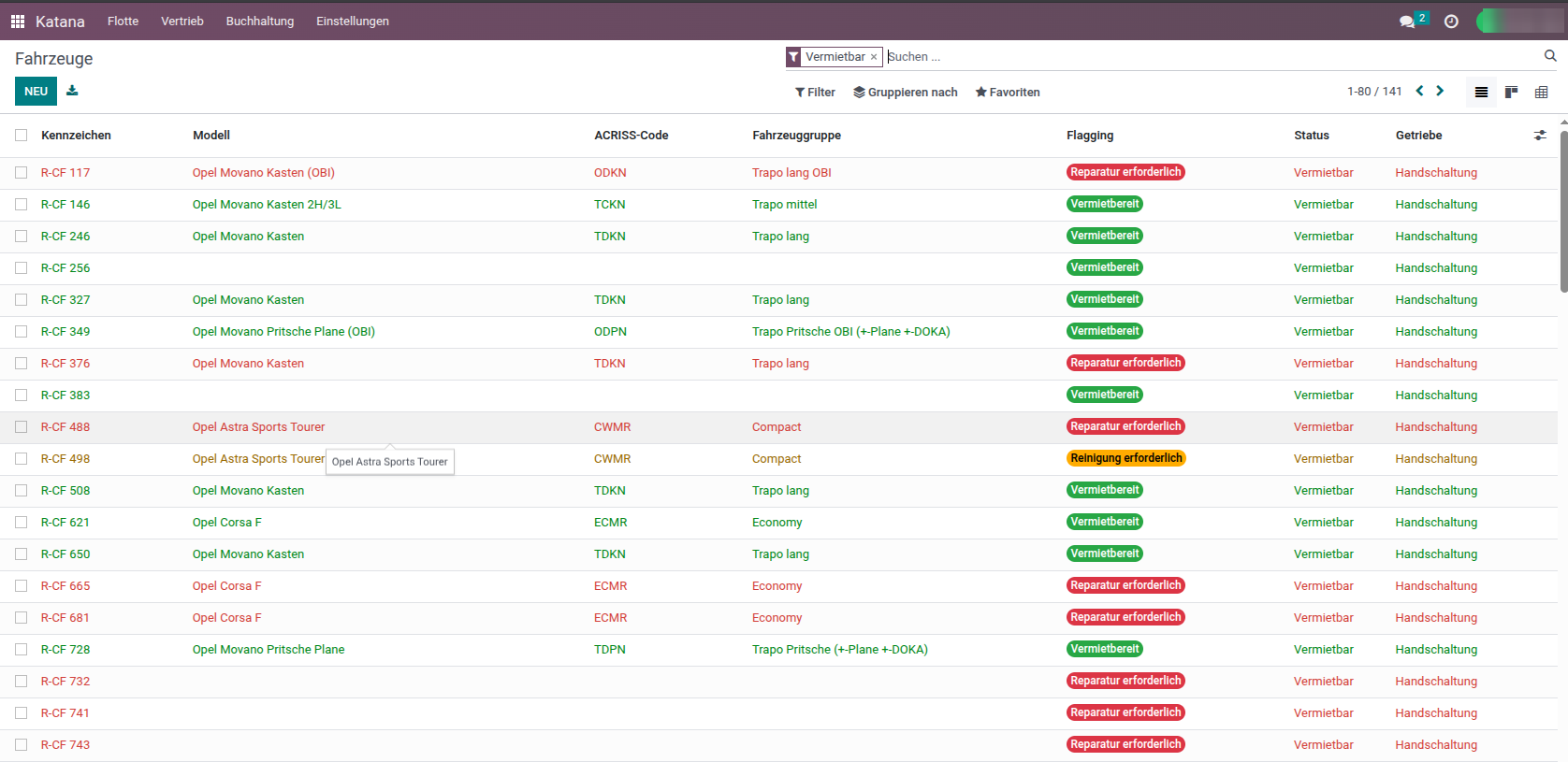
Vehicle management in the back office.
Vehicle onboarding
A guided infleeting process validates a new vehicle’s configuration and sensors before it goes live, so cars enter the fleet reliably.
Bookings and reservations
Customer bookings are created in the app; staff can search, review, intervene in, and end any rental, and manage availability with operational blockers.
Customer management and verification
A full CRM with built-in ID and driver-license verification. Customers verify themselves in the app; staff can verify manually, manage accounts, and handle GDPR requests.
Returns and damage handling
After every rental, a structured check-in confirms the vehicle’s condition. Customer-submitted photos and damage reports feed a guided damage-case workflow through to resolution.
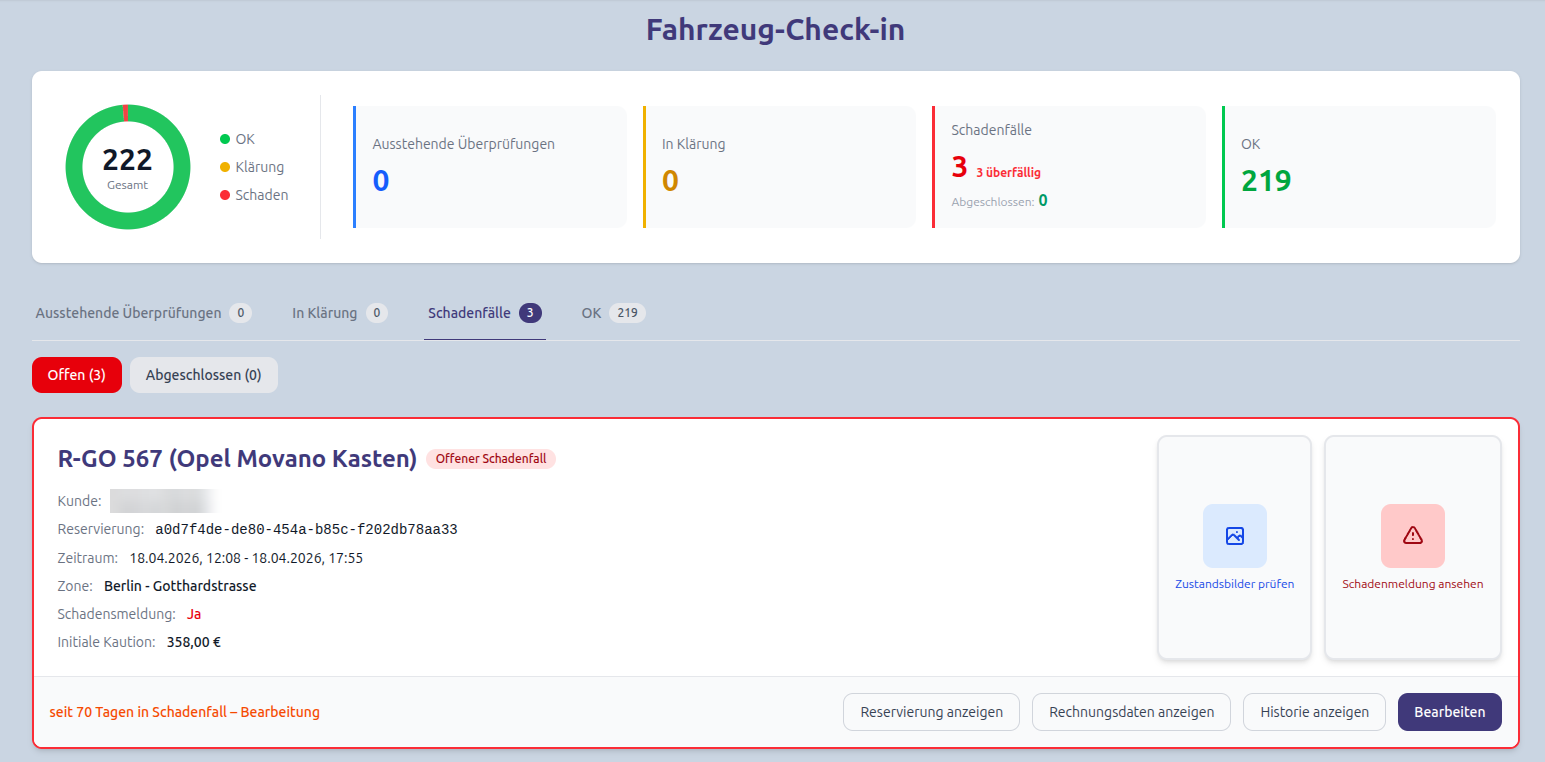
Post-rental check-in with a clear status overview.
Pricing, promotions and corporate accounts
Flexible tariffs per vehicle category and brand, discount codes with quotas and validity, and corporate accounts where a company pays for its employees and gets its own discount terms.
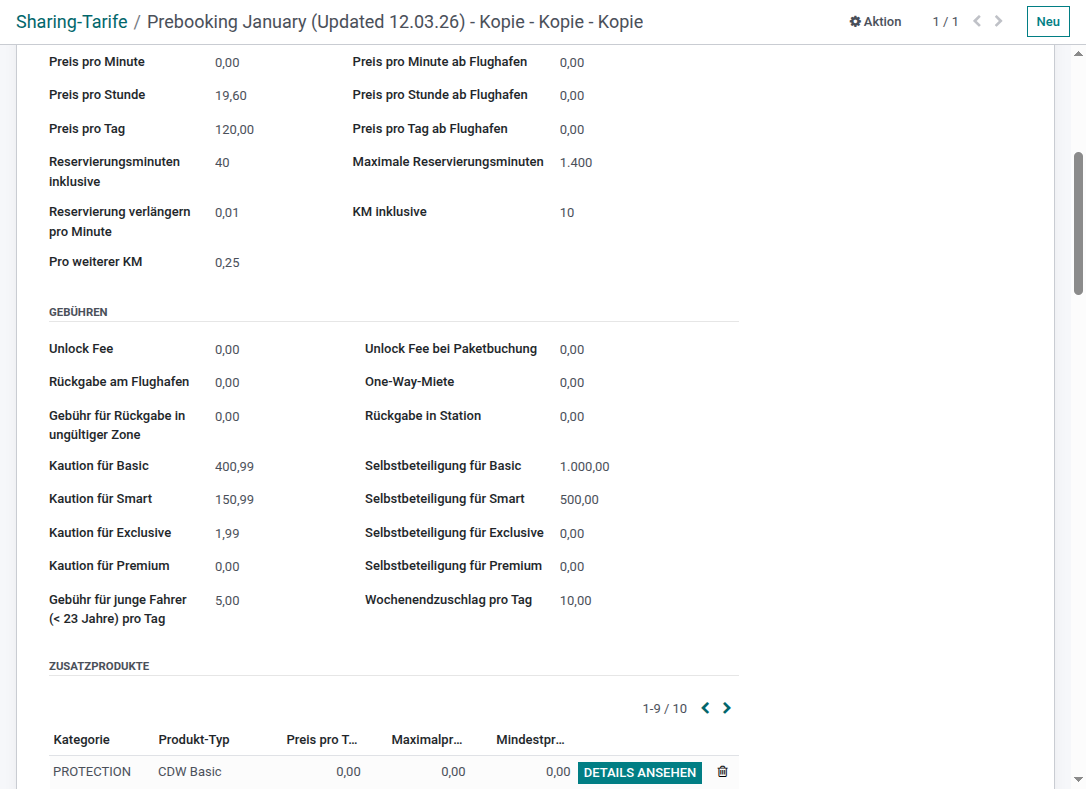
Rate management — prices, fees, deposits and insurance add-ons per tariff.
Billing and accounting
Invoices are generated automatically from completed rentals, with reconciliation, commission handling, payment links, and German accounting export (DATEV).
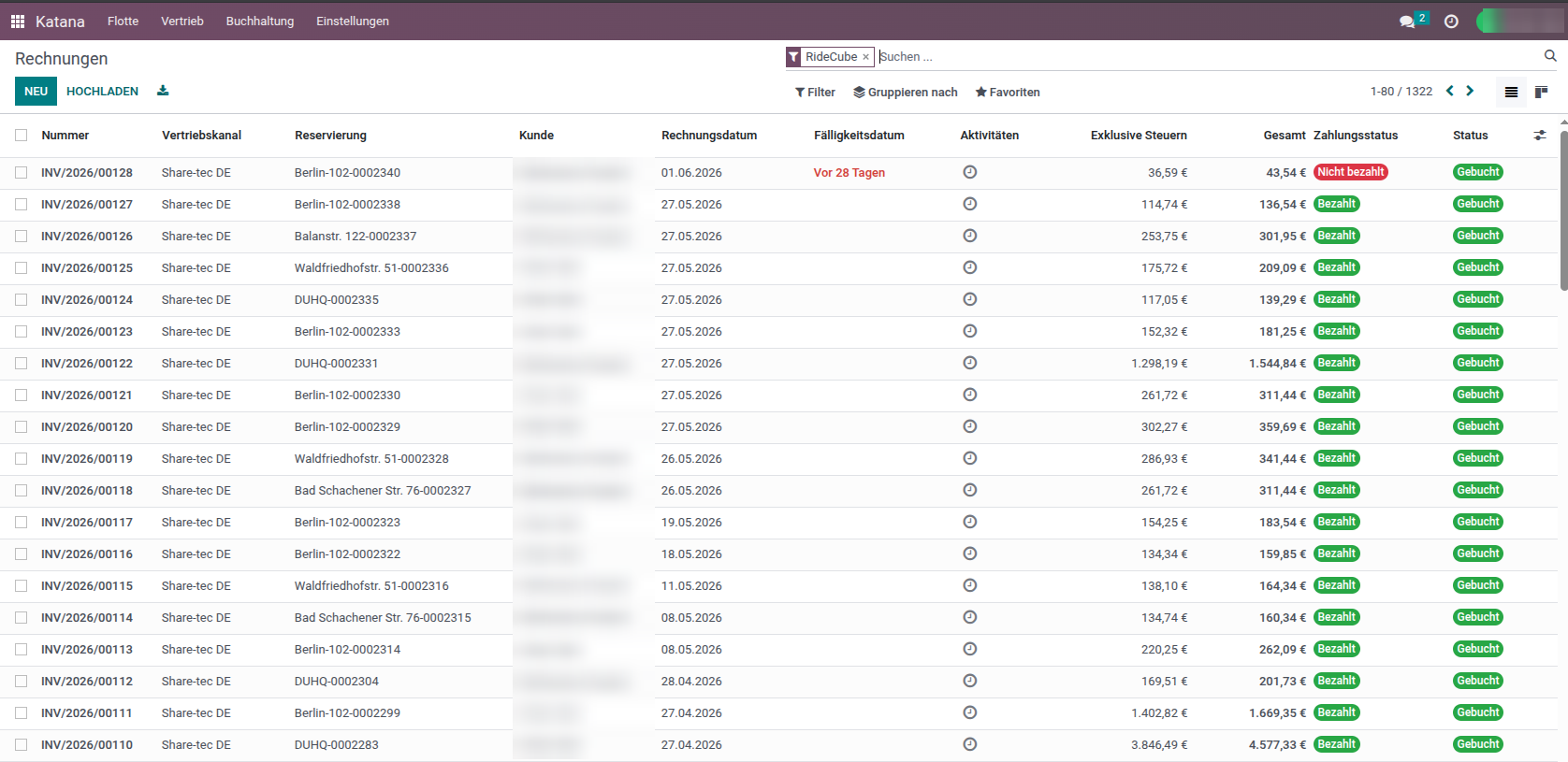
Invoice overview with payment status.
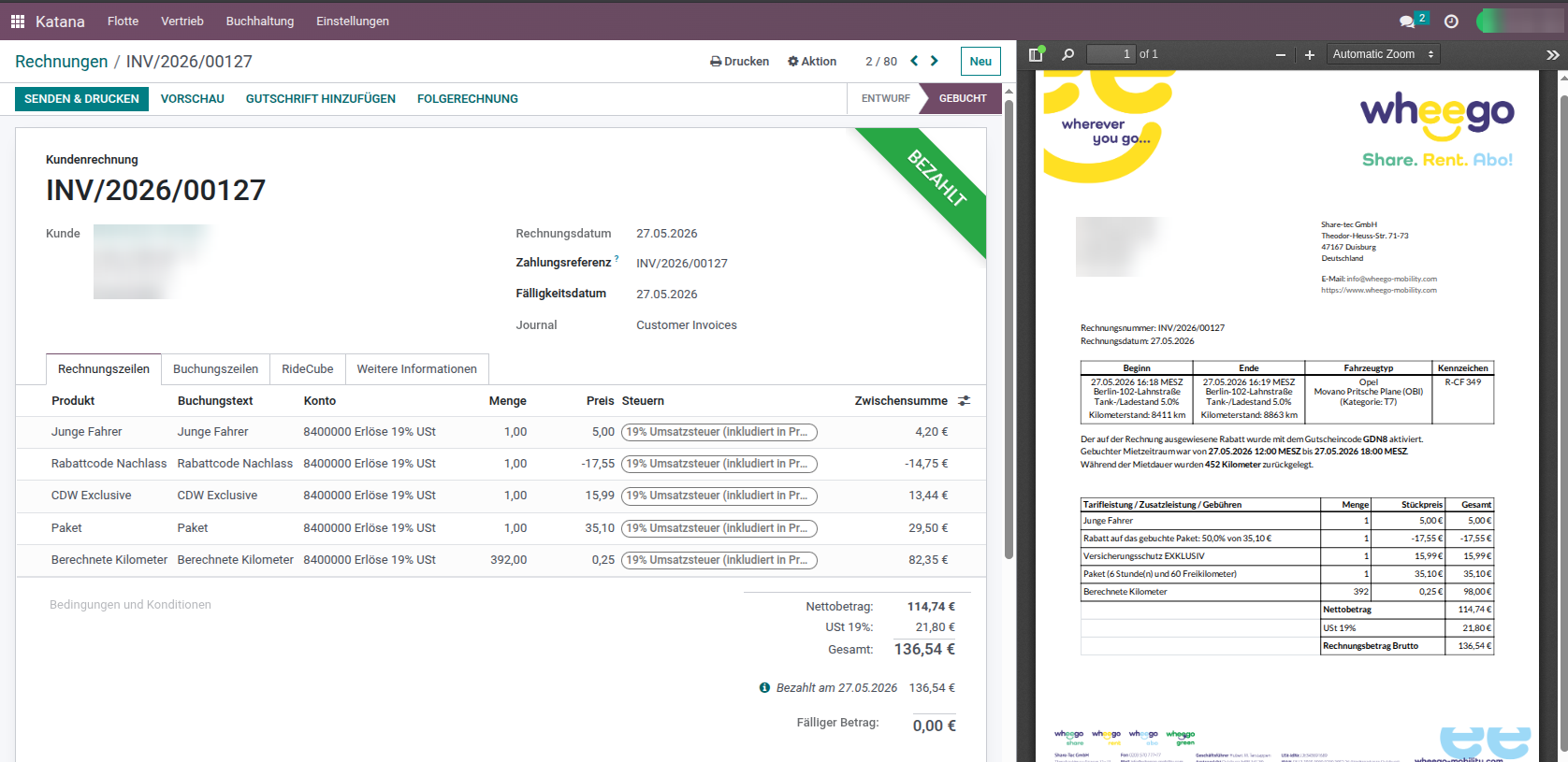
A single invoice with its line items and printable PDF (customer data blurred).
Locations and zones
Define operating areas with map boundaries and stations; vehicles and staff are organized by zone.
Revenue and utilization analytics
A live dashboard with revenue and utilization KPIs, trends over time, breakdowns by zone, vehicle group and license partner, and a geographic heatmap — all exportable.
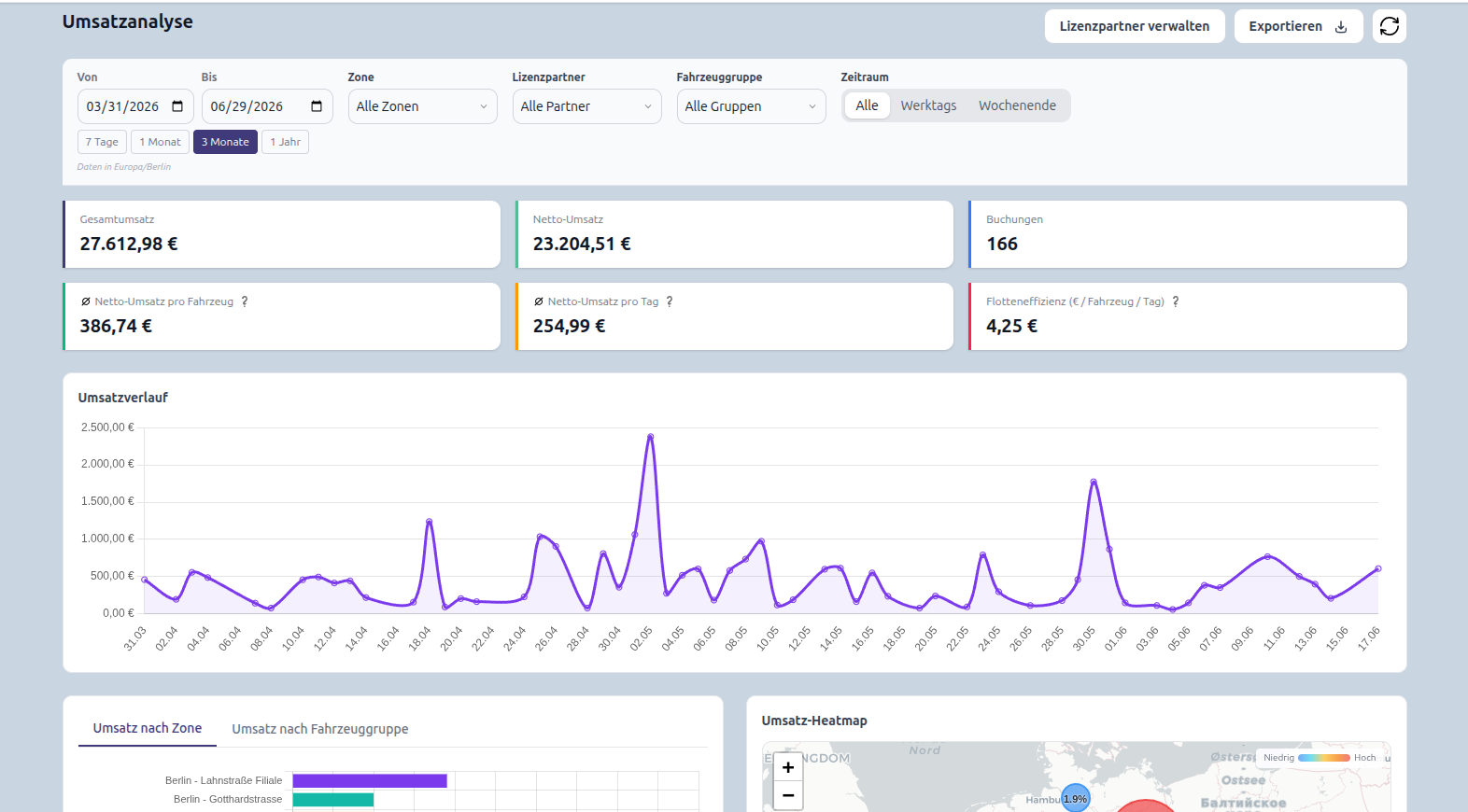
Revenue and utilization analytics at a glance.
Staff can also receive an automated weekly utilization report by email, summarizing utilization across their vehicles and zones.
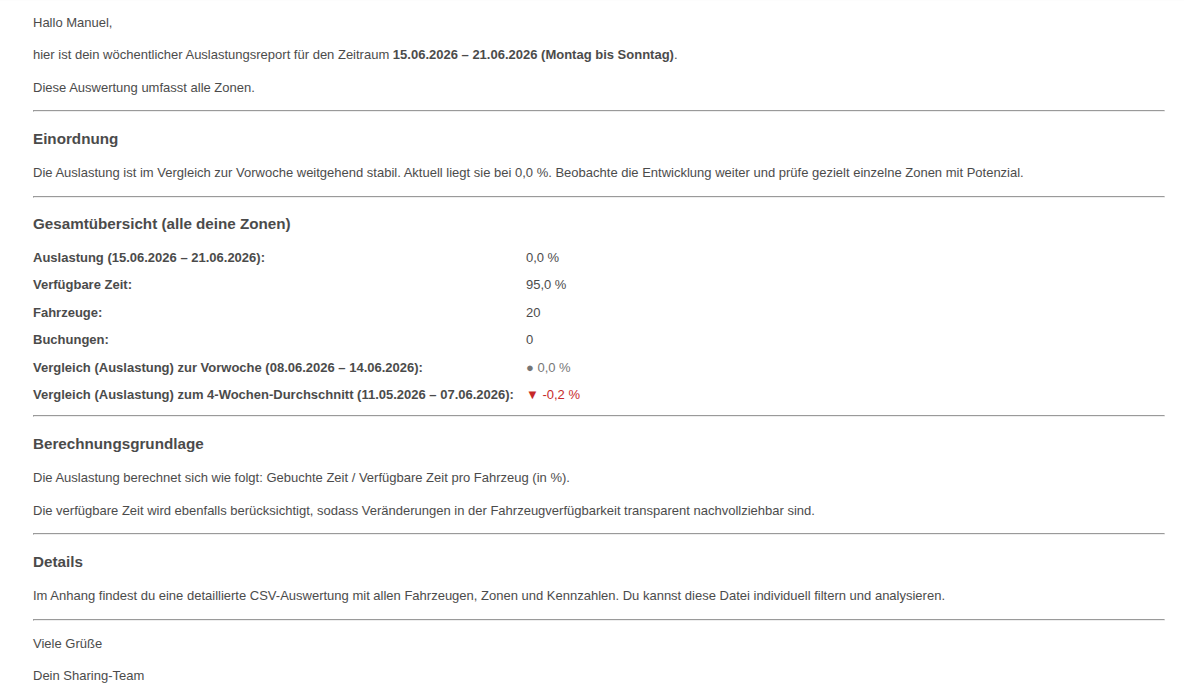
Automated weekly utilization report.
Support tools
Role-based staff access, full audit trails, automated alerts, and an AI assistant that answers staff questions from your terms and FAQ.
What’s possible
-
Run several brands or operators on one platform (multi-tenant).
-
Track and control every vehicle in real time — lock, unlock, immobilize.
-
Verify customers’ IDs and driver licenses, with manual fallback.
-
Take payments and send payment links; auto-generate invoices.
-
Automate alerts — cross-border movement, overdue returns, weekly utilization reports.
-
Keep a full audit trail of staff and vehicle actions.
-
Stay compliant with German accounting (DATEV).
Built-in integrations
RideCube connects the services an operator needs out of the box: identity and access management, automated ID verification, payment processing, app-store metrics and reviews, mapping/geocoding, and DATEV accounting — so the platform works as one system rather than a set of disconnected tools.